Overview
A cluster is operationally a collection of ESXi hosts. As a result, the basic counters of CPU, memory, disk and network are basically the sum of the member host.
vSphere Cluster
Think of vSphere Cluster as the smallest logical building block. From operations management, it’s basically a single computer. Think of a huge and complex machine.
vSphere Cluster is much more than just a group of ESXi hosts sharing a common network and storage. What makes a cluster more complex than the sum of its hosts is the various cluster-level features and configuration.
Let’s start by looking its 2 most basic features:
| Features | Impact | Impacts |
| HA | Capacity | The various options of HA complicate usable capacity calculation. |
| Availability | HA results in 2 metrics: actual availability and operational availability. HA event requires VM availability to be verified as application dependency could be affected. The order of booting needs to be kept up to date. HA event needs to be reported and investigated. This typically requires log analysis to find the root cause. | |
| Configuration | ESXi hosts in the cluster should have identical hardware & software configuration. Customers typically have multiple clusters, and need them to be consistently configured. | |
| Inventory | Actual needs to match plan. Not only the amount, but also the movement and their status. | |
| DRS | Performance | Degradation of vMotion stunned time could give a clue to overall ESXi performance. vMotion may impact latency-sensitive application. Rate of vMotion should be measured against expectation. |
| Configuration | Various DRS settings such as automation level should match plan and standard. VM-level exception can get buried in large environment. Customers typically have multiple clusters, and need them to be consistently configured. |
You can see that the above complicate operations, especially in a very large environment with hundreds of clusters. If you add these features on top, you further increase complexity of your operations.
| Features | Impact | Impacts |
| Affinity | Configuration | The settings of affinity and anti-affinity should match plan. In large environment with hundreds of clusters this can get buried and hence overlooked. |
| Resource Pool | Capacity | Shares, Limit, Reservation done at resource pool level need to be compatible with those at its children VM. Resource Pool should not be peer of VM. |
| Performance | ||
| Configuration | Complication from cascading resource pools. Need to ensure VMs are not siblings of resource pool | |
| DPM | Capacity | DPM impacts capacity as it changes total capacity. |
| Performance | DPM is only considering the ESXi utilization metrics. It does not check the VM contention metric. | |
| Configuration | DPM settings need to match plan. |
The above cover the standard vSphere cluster. There are 2 other variants, which take the operational complexity higher.
| Features | Impact | Impacts |
| Stretched Cluster | Configuration | The configuration of each site needs to be checked so VMs always accessed local storage |
| Capacity | The utilization of the 2 physical sites may be intentionally unbalanced, because one acts as primary site while the other as DR site. | |
| Performance | Horse-shoe traffic between VMs on the same site. Traffic ping pong between VMs on different sites. | |
| Availability | The whole purpose of a stretched cluster is they protect one another. This shall be tested at least once a year. | |
| vSAN Cluster | vSAN impacts all aspects of operations management. It impacts Day 0, Day 1, and Day 2. |
In addition, there are complication simply because there are multiple members in the cluster. For example, is cluster utilization simply the average of all its hosts? What if there is imbalanced? It will get buried if the cluster has many hosts.
While a cluster focuses on compute, it is where VM runs and consumes network and storage. This means network and storage counters must be considered as appropriate. If you’re using vSAN, then it’s mandatory.
Base Metrics
vSphere Client only displays basic set of metrics. They are grouped into 4, as shown in the following screenshot:
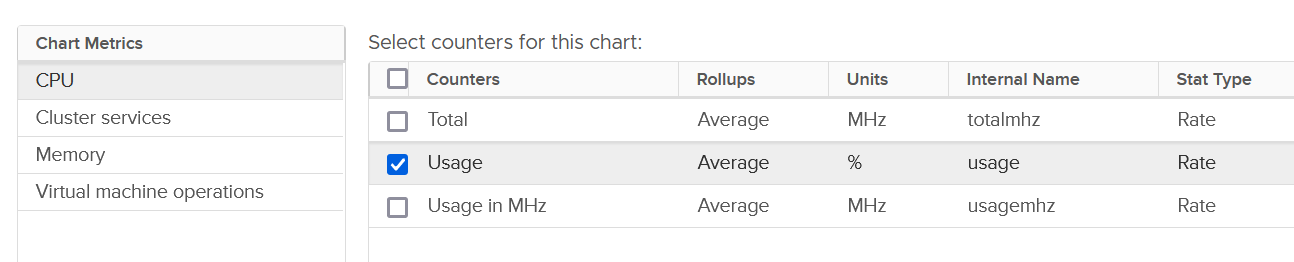
For each of the group, there is basic set of metrics. Here it is for memory:
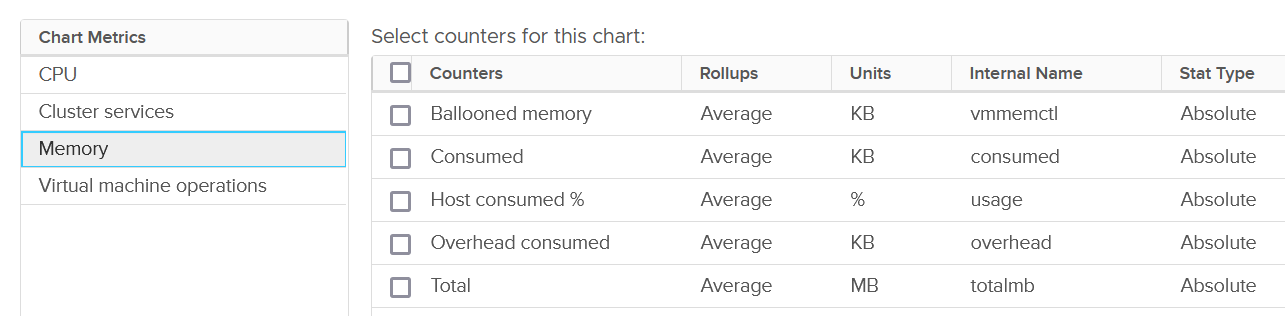
The group Cluster Services only provides 3 metrics:

VM Operations
vSphere Cluster, being the main object where VM runs, has a set of event metrics. They count the number of times an event, such as a VM gets deleted, happens. This provides insight into the dynamics of the environment.
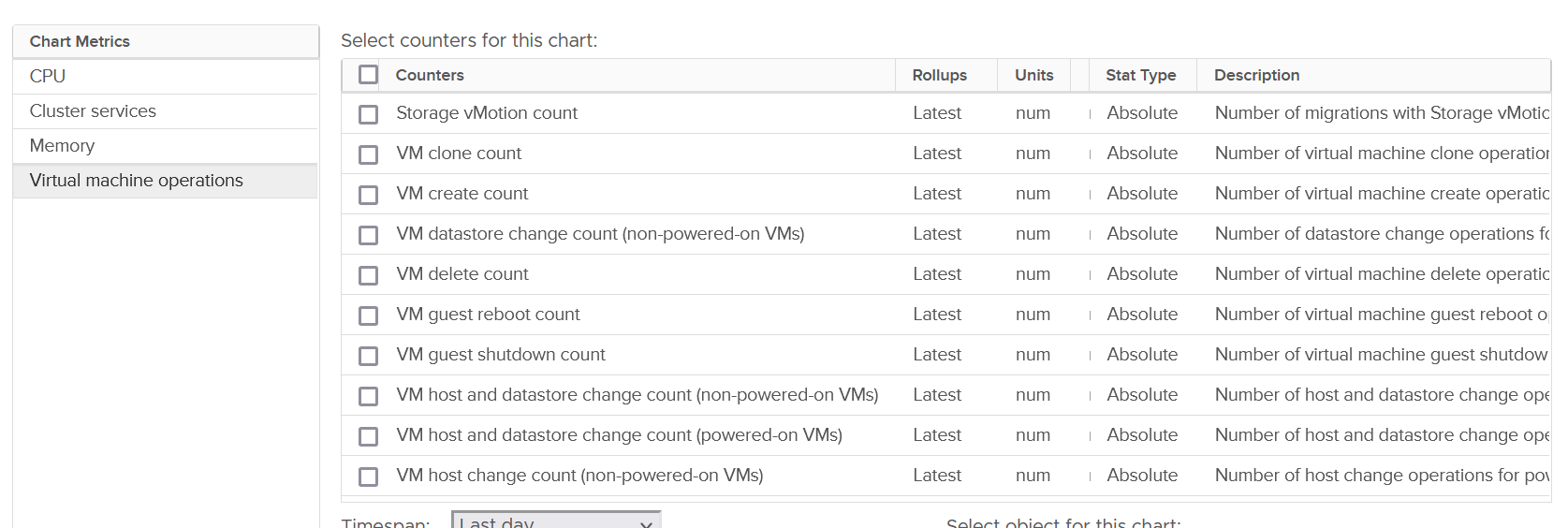
Take note that the metric is accumulative. So it starts since the day the cluster was created. VCF Operations converts into rate, and also make them available at higher level objects (Data Center, vCenter and vSphere World).
| Category | Metric Name | Description |
| Change of State | VM guest reboot count | Only a reboot. The underlying VM is not powered off. |
| VM guest shutdown count | I think this triggers VM Power Off too. | |
| VM standby guest count | My guess this also power off the VM | |
| VM power off count | I think this is direct, abrupt power off. It does not include proper shut down from Guest OS. | |
| VM power on count | ||
| VM reset count | Power cycle, different to Guest OS restart as the VM is momentarily powered off. | |
| VM suspend count | Deeper than Guest OS Standby. Is this like hibernate in Windows? | |
| Change of Inventory | VM create count | All creation, be it from template, direct, or cloning. So this is the total amount. |
| VM clone count | Creation via cloning only. | |
| VM template deploy count | Counted separately to separate those VMs not deployed from template. | |
| VM reconfigure count | Log Insight tracks the actual changes. | |
| VM register count | Add into vSphere inventory | |
| VM unregister count | Take note the VM file can still exist in datastore and LUN | |
| VM delete count | All deletion, be it API or UI. | |
| Change of Location | vMotion count | Change of ESXi host only |
| Storage Motion count | Change of datastore only. | |
| VM host and datastore change count | Both change in one event. Powered-on VMs only | |
| VM datastore change count | Only for powered-off VMs | |
| VM host and datastore change count | Only for powered-off VMs | |
| VM host change count | Only for powered-off VMs |
You certainly have some expectation on the dynamics of your environment. Does the reality match your expectation?
In production environment, these numbers should be low. Some numbers such as shutdown should also match the change request and happens during the green zone. Some exceptions apply, such as your VDI design includes scheduled reboot on the weekend.
Imbalance
Imbalance is the root cause behind why contention happens despite overall utilization has not reached 100%.
There are 3 types of imbalances in a vSphere Cluster.
| Type of Imbalance | Analysis |
| Utilization imbalance | There are 2 types here:
|
| Overcommit imbalance | Running VM vCPU : ESXi Usable Thread. A high overcommit by itself is fine if the utilization is now. CPU is riskier than memory due to more volatile nature. |
| Monster VM imbalance | Concentration of monster VMs in a host increase risk of contention. |
The threshold of the monster VM depends on 2 factors:
The more services you run, the bigger the overhead. If a VM vCPU > 45% of the ESXi count of threads, 2 of these unlikely can run at the same time as vSAN + NSX + VMKernel needs CPU too. |
Inter-Host Imbalance
You want clusters to be well utilized but balanced across all hosts in the cluster.
-
High Utilisation 🡪 Performance risk.
-
Low Utilization 🡪 Wastage capacity.
The cluster is imbalanced when there are High ESXi hosts and Low ESXi hosts.
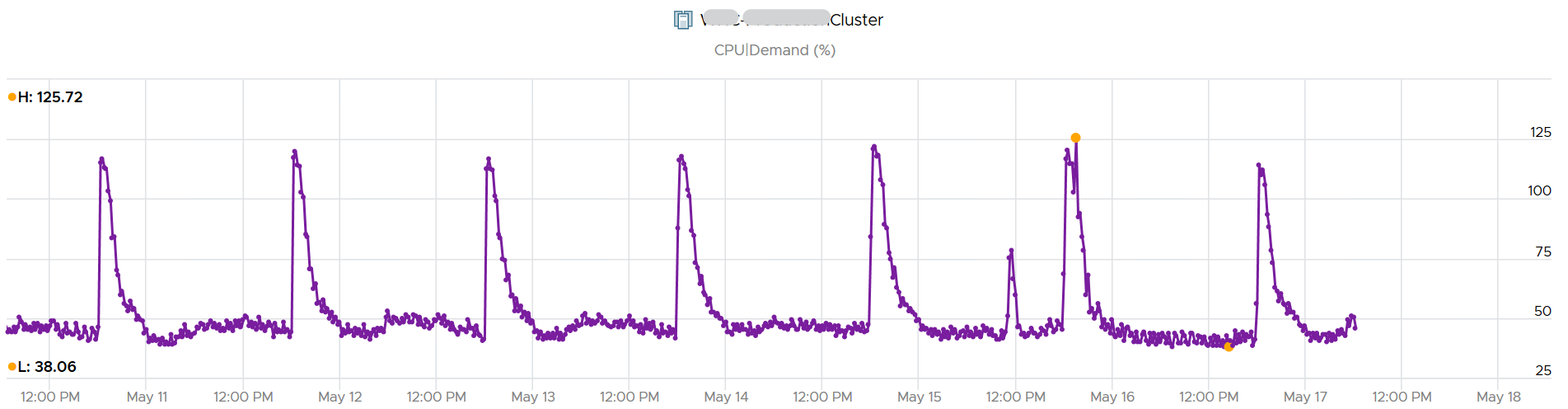
Focus is imbalance at high utilization. Imbalance can happen at low utilization. While that’s mathematically true, it’s not operationally important.
| High ESXi | An ESXi utilization is considered high from day-to-day operations when it reaches this: ESXi Core Util > 90% AND Thread Util > 80%. |
For Core, use 90% and not 100% as the threshold. 100% could be too late if it's sustained at 100% for 300 seconds. NUMA prevents all cores from being used evenly. Some cores are struggling while others are idle | |
| For Thread, use 80% and not something lower. If we use something lower, we end up including situation where there are still many idle threads. That’s not a high utilization issue | |
| Low ESXi | The definition is: Core Utilization < 50% AND Thread Utilzation < 40% |
The formula is basically High Hosts / Low Hosts.
Let’s visualize using a cluster of 6 hosts as an example:
| Color | Meaning | |
| Red | Worst | 1 or more High Host, but no Low Host to migrate VM to. May need to move to another cluster. |
| Pink | Bad | There are more High Hosts than Low Host. There may not be enough capacity to balance |
| Orange | Bad | The number of High Hosts = Low Hosts. Hopefully, there is enough capacity to balance |
| Yellow | Warning | The number of High Hosts < Low Hosts. Hopefully, there is more than enough capacity to balance |
| Green | Good | Ideal. This is what you want. A utilized cluster yet balanced. |
| Grey | Wastage | 1 or more Low Host, but not high host. Cluster is under utilized. |
Quantification Strategy
The formula uses a relative number, so we can compare across clusters of different sizes.
Looking at the values, we can see that each color falls within some specific ranges, that is intentionally designed not to overlap.
We can now translate the color into numbers.
| Color | Possible Values | |
| Red | Worst | 100, 200, 300, 400, etc. Value is bumped up to avoid overlapping with pink, which can go |
| Pink | Bad | 1 < Value < 63 Not a whole number. It can be decimal. |
| Orange | Bad | 1. |
| Yellow | Warning | 0 < Value < 1 |
| Green | Good | 0 |
| Grey | Wastage | -1, -2, -3, …., 64 It’s a whole number, not decimal |
Limitation
Summarizing always results in the loss of details.
For example, we don’t know if it’s 1 High Host over 2 Low Host, or 4 hosts over 8 hosts as both returns 0.5.
Alternatively, we can concanetate the numbers. So we get 1.2 and 4.8.
-
Advantage: we know 1.2 is different to 4.8
-
Disadvantage: the sort across many numbers will be less meaningful as the values are no longer relative.
Example
Let’s use a 12-node cluster as an example.
The following shows the complete permutation of the 169 possible Cluster Imbalance values.
Intra-Host Imbalance
You want all cores used first, before threads are sharing a core.
Since HT is dual thread, the worst score is 2.0.
When there are idle cores, no core should be running 2 threads. Since real world is not perfect world, the diagram shows gradient. It changes from red to green as Core Utilization hits 100%.
Imbalance Score of 1.5 at means half the cores are running 2 threads.
For an ESXi with 64 cores, 128 threads, a score of 1.5 at 40 cores means:
-
20 cores are running 2 threads
-
20 cores are running 1 thread
-
24 cores are idle.
Ideally, it should be 60 cores running 1 thread each.
The imbalance should be used together with Core Utilization.
ESXi CPU Imbalance = Count of Running Threads / Count of Running Cores
vSphere Cluster ESXi CPU Imbalance = Average (ESXi CPU Imbalance)