SP5 Framework: People
There are many personas required to keep operations running well. Some are directly involved in the day-to-day operations, while others focus on the big picture, hence requiring a longer time frame. In small branches of a large organisation, the roles are played by the same few people, backing each other up. You can have 3 people doing everything with no structure, or 300 people with clear demarcation and formal hierarchy. Regardless, the jobs still need to be done, so document all the roles and responsibilities. Now you know why I make this document editable.
There is a many-to-many relationship between “jobs to be done” and persona. It reflects the dynamic nature of live operations. You have team members taking leave or away, hence you need someone else to step in on an ad-hoc basis.
Day to Day Roles
| Level 1 Operators | Deal with the production environment. Perform a regular check on the overall environment. Use both insight and alerts. Responsible for closing alerts. Alerts should be closed only when root cause is known, not when symptoms disappear. Closing alerts without knowing why they happened prevents lesson learned and can potentially backfire. Perform simple troubleshooting, following SOP. Typically, these SOPs do not require reading logs. SOP is ideally automated, taking input parameters, so the chance of human error is minimized if the number of manual steps or frequency is high. Focus on Availability, Performance and Security. Typically stationed at Network Operations Center room and called the Help Desk. |
| Platform | Activated when Level 1 is unable to solve the problem. For each problem solved, this role should update the troubleshooting guide so Level 1 can be empowered. Focus on insight, not alerts. Look at the big picture and try to prevent alerts from happening. They focus on risk (e.g. configuration risk, compliance risk). More senior than Level 1. May specialize is some areas (e.g. vSAN, networking). They document the knowledge base and develop SOP. They automate the SOP as much as possible. Perform advanced troubleshooting, which often requires logs analyzis. Work with the Architecture Team. Lead or involved in the evaluation of operations management tools. Design and maintain VCF Operations dashboards and alerts. In larger organization, there can be more levels. |
| Operations Manager | Manage the level 1, level 2, level 3 operators. Deal with tenants on SLA. |
Other Roles
There are other roles that Ops Teams need to deal with. Here are some of them. In larger organisation, each could be a team on their own.
| Security | In large organizations, this could be a separate department by itself. It could also report outside IT if the scope covers beyond computer system. They work closely with the Compliance persona. |
| Compliance | Set the compliance settings to agreed internal and industry standard. Verify that non-compliance alert was addressed timely and correctly by the operations team. Report & discuss the compliance status with upper management. Focus on Risk (Configuration, Compliance). |
| Capacity | Plan the supply side of capacity, working with the architect role. Plan the demand side of capacity, working with line of business or sales team. Does not get involved in the day-to-day capacity. ESXi hosts going into maintenance mode is an operational problem, not capacity management matter. |
| IT Finance | Typically work with Capacity Team on purchasing. |
| IT Management | There can be multiple levels here, all the way to the CIO and CTO. Look at the big picture, trends over time, and future. Not so much what’s going on hour-by-hour. Weekly report, focusing on the overall health and not individual users or pools. Monthly presentation and review, supported for live dashboard for an interactive discussion. Generally, does not get involved in troubleshooting and architecture. Primary focus is Compliance and Cost. Performance is not the focus, as that was likely promised to be “good” by the Architect as part of the design. |
| Architecture | Design the system architecture. Needs to get input from Day 2 team, and design with the end in mind. Look into the future. Evaluate new technology and assess if technology refresh or migration to a new architecture makes business sense. May lend support on complex troubleshooting. In larger organizations:
|
| Network | The network team is typically separate. This is due to the nature of networks. |
Guess what role is missing?
Yes, Site Reliability Engineer (SRE).
The role focuses on automation. I see them as a variant of platform team, because in operations you should only automate what you can operate. Doing automation without mastery of operations have resulted in many DevOps turned into Dev Oops!
Exit Criteria | Entry Criteria
Among the roles and departments, there are handovers and boundaries. This is especially important for escalation. What’s the Exit Criteria and Entry Criteria?
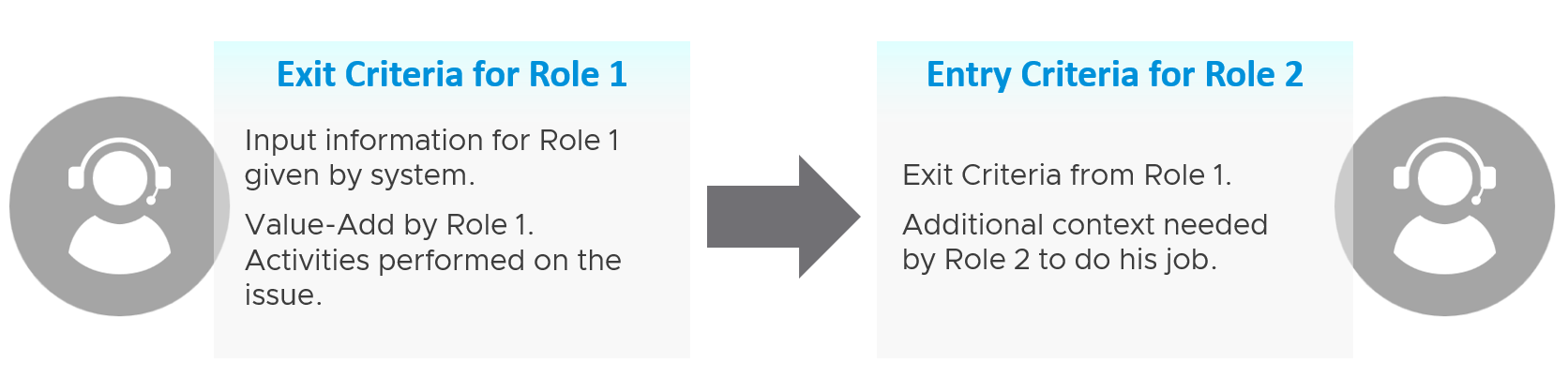
Take for example the escalation process from Level 1 to Level 2 support.
L1 Exit Criteria defines the set of analyzis they have performed on the issue. If it’s not in their capability, they have the right to escalate to L2.
| L1 Staff | Perform check following their SOP to ensure the Exit Criteria is satisfied. The guide to analyze is provided by the respective L2 as part of the alert definition. |
Add additional information that L2 needs, giving all the context an L2 personnel needs to perform their job. The context is part of the handoff process, meaning Level 2 will not accept the escalation if the necessary details are not provided The list of information can be basic information, such as VM owner. It can also be a set of additional low-level counters or test results that the L1 Team ran but does not have the skills to analyze. It’s analogous to seeing a specialist doctor who asks you to bring your test results. | |
| Since L1 is generalist, while L2 is specialist, the L1 staff must escalate to the right Level 2 group. | |
| L2 Staff | The 2 pieces of information above becomes the Entry Criteria for L2. |
| L2 Team automatically accept the issue and now the ball is in |
“It’s on my court”
Each team need provide the standard list of metrics, events, error that shows that the problem is on their court. These items are monitored by their respective team, and alerts are in-place.
The following list examples metrics and events for different team.
| Application Team | Naturally, the actual metric and event are application-specific, and even version-specific. |
There is general abnormal behaviour regardless of application. Examples:
| |
| Database Team | The counter depends on the specific database software |
| Windows Team | CPU: Context Switch, Run Queue |
| Linux Team | CPU: Context Switch, Run Queue |
| K8 Team | K8 Pod: CPU Throttle, Out of Memory event. |
| Virtualisation Team | For VMware vSphere VM:
|
For Infrastructure :
|